Browser-local mocking meme tool
SpongeBob Meme Text Generator
Type a sentence to make a mixed-case mocking reply.Read more
Copy the text, place it on the included meme image, or export a short GIF. The SpongeBob meme text generator keeps your caption and style together across Text, Image, and GIF views.
Meme preview
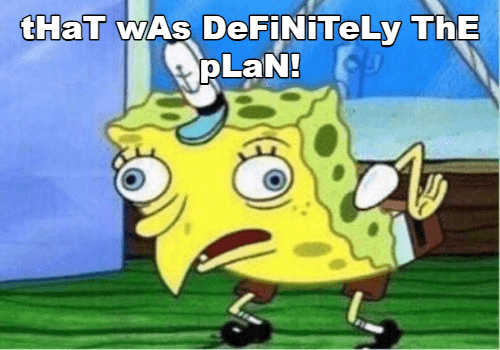
 tHaT wAs DeFiNiTeLy ThE pLaN!
RELATED TOOLS
The included picture is a starting point; you can replace it with an image from your device. TextKits is independent of Nickelodeon and the creators of SpongeBob SquarePants. Default image source · MIT notice

Examples you can make
How to make mocking text
Enter a line and choose a casing pattern. Exact alternating modes keep a predictable rhythm; random and cursed modes change the pattern. Try a readable variation if the result is hard to scan. The text is ready to copy without rendering an image.
Copy Text takes the mocking reply alone. Copy Both keeps the original claim beside it when readers need context. Pin one of four variations before editing your wording to preserve its pattern. Choose Literal Text when you want the sentence exactly as typed on a card.
Mixed case suggests a tone; it cannot judge whether a sentence is sarcastic. Check names, acronyms, and sensitive statements before sharing. For other text-only sarcasm styles, use the separate Sarcasm Text Generator.
Put the same line on a meme image
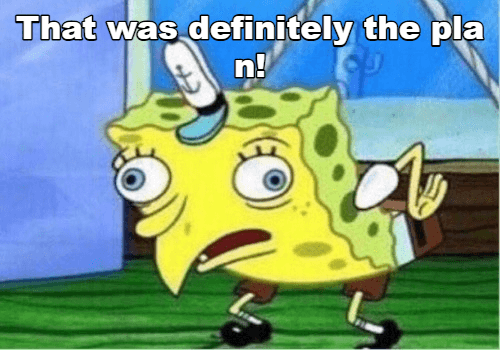
The Image view uses your current caption and style on the included picture. Select or drop your own image to replace it for this browser session; Remove Image returns to the default.
Adjust text color and size, picture brightness, and image fit (cover or contain) to keep the caption readable. Move a differently shaped upload within the 10:7 frame to keep the important part in view. The preview warns about risky fit or contrast, but inspect the final card at the size where you plan to post it.
Download the composed card as PNG or JPEG. The export re-encodes rendered pixels, so it does not carry source-image metadata. Suggested alt text and a plain-text fallback help describe the result where an image is inaccessible. Shorten long words or lines that crowd the edge before saving.
Make a short GIF when motion helps
The GIF view combines your current caption and style with the included animation, or with a picture you select. Click Play GIF on the preview to create and play the captioned animation. Progress and Cancel appear during creation; Save GIF appears below the preview when it is ready.
Frame count, duration, and output size are bounded to keep the export usable on phones. If you edit the caption or visual settings after generating, make a new GIF so the saved file matches the preview. Use a still PNG or JPEG when motion adds nothing.
Share the wording without sharing a local picture
Copy Link restores the caption and safe text settings for another visitor. Use Share or Copy Link to send those choices; an image selected from your device is never uploaded or stored in the link. The recipient must choose their own picture to recreate your card.
To share the finished image itself, download the file and send it through your chosen app. Copy Text works for ordinary chat; Copy Alt Text gives you a description for someone who cannot see the image. This page has no public gallery or account.
Useful limits and privacy
Text input is capped at 2,000 characters. Uploads have file-size and decoded-pixel limits, while still and GIF exports have output-size limits. Unsupported or damaged images show a recoverable error without erasing your text.
Your chosen image is processed in the browser for preview and export. Remove Image restores the included picture; Reset clears your text and choices. Check the rights of images you supply and the rules of the place where you post the result.
This tool changes letter case; it does not provide an official SpongeBob font, logo, or image pack. The still default picture has its own source and MIT notice. The separate GIF example was supplied for this tool without a license record; TextKits is independent of the show.
SpongeBob meme text generator FAQ
Quick answers about mocking text, image and GIF downloads, local uploads, shared links, and independent-site status.