01
Type the quiet line
Enter up to 220 characters for a caption, bio phrase, comment aside, profile note, or roleplay line. The same input feeds every copyable result without a separate generate step.
Quiet Unicode and Image Overlay
Quiet copy-paste Unicode styles plus local PNG overlay.
Use this whisper text generator to turn up to 220 characters into six copyable Unicode treatments. The rows range from raised and lowered tiny letters to small caps, thin spacing, and a quiet caption frame, with a compatibility label beside every result.
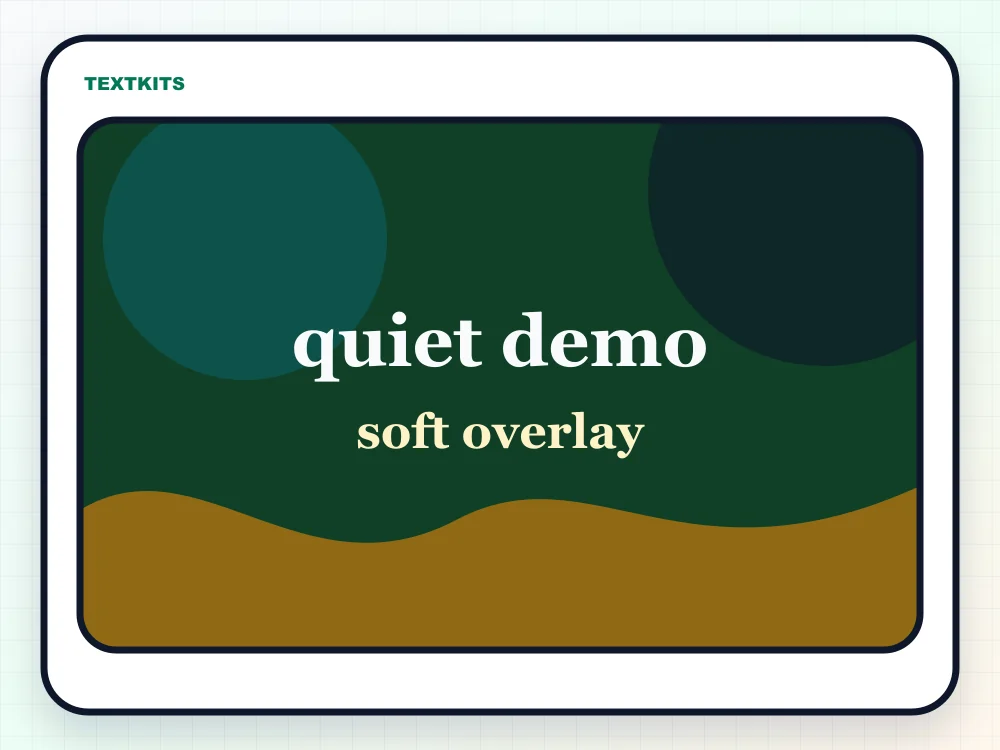
Image Overlay handles captions that need to stay visually consistent on a picture. Uploads stay in the browser while you choose a background treatment, font stack, colors, auto-fit, size, border, position, and alignment; the finished canvas downloads as a 1200 × 900 PNG.
Decode mode reverses the supported quiet Unicode forms into readable text. These three modes are visual text tools only: they do not install a font, transcribe audio, process voice files, or connect to OpenAI Whisper.
Enter up to 220 characters for a caption, bio phrase, comment aside, profile note, or roleplay line. The same input feeds every copyable result without a separate generate step.
Compare six rows: Soft whisper, Subtle whisper, Whispered elegance, Raised secret, Airy whisper, and Quiet caption. Each result includes a Safer, Decorative, or Fragile compatibility label.
Copy Unicode text for social fields, or switch to Image Overlay when the intent is a whisper meme, soft label, thumbnail caption, or downloadable PNG.
Use this mode when the destination accepts text: bios, captions, comments, Discord messages, Pinterest descriptions, notes, and profile fields.
Use Image mode for a caption on a picture. The local canvas offers Original, Darken, Blur, and Desaturate treatments, three font stacks, auto-fit, positioning, alignment, colors, and border controls before PNG export.
Paste tiny, subscript, superscript, small caps, or thin-spaced text to recover known characters. The decoder returns readable text without inventing unsupported letters or lost capitalization.
Best for everyday paste targets because the style changes fewer characters or uses common Unicode forms.
Useful for visual effect, but some letters may stay normal because Unicode has no perfect miniature version.
Designed for a specific look. Spacing or tiny characters can collapse, wrap oddly, or render differently in strict apps.
In prose, a dialogue tag such as “she whispered” usually communicates a quiet voice more clearly than decorative lettering. Unicode whisper text serves a different job: it gives a short social bio, chat aside, profile note, image caption, or visual annotation a smaller and quieter appearance.
The best results are short. A few words, a username note, a parenthetical aside, or a tiny caption usually works better than a whole paragraph. If the text carries important instructions, keep a normal-text version nearby so the meaning is still clear when the decorative style is hard to read.
Tiny Unicode characters are real text, but they are not supported evenly everywhere. Some apps show the small letters cleanly, some replace missing characters with normal letters, and some change line height so the result looks less quiet after it is pasted. Older phones, strict form fields, and moderation-heavy apps can be especially inconsistent.
A verified test with “Keep this quiet, Please! 123 QSXZ” showed the actual gaps: Soft whisper left q and Q at normal height, Subtle whisper left q and the final uppercase Z normal, and Whispered elegance kept s, q, and QSXZ in ordinary forms. The decoder returned “keep this quiet, please! 123 Qsxz,” so it recovered known glyphs without pretending it could reconstruct lost capitalization.
Use the compatibility label as a first filter, then test the exact destination before posting. If a bio, comment box, or chat field strips spacing or changes the look, choose a simpler row. For images, use Image Overlay instead, because the downloaded PNG preserves the canvas appearance.
Whisper text is most useful as decoration around readable content, not as a replacement for the entire message. Screen readers and search fields may not treat small caps, superscript, subscript, or spaced Unicode the way a visual reader does. For public information, write the main point in normal text first and use whisper styling only for tone or emphasis.
If you are adding a whisper caption to an image, check contrast before downloading. Soft text still needs enough difference from the background to be readable. A slightly larger size, stronger outline, or calmer background crop can keep the quiet style without making the words disappear.
Common questions about quiet Unicode text, image overlays, platform rendering, and decoding whisper-style characters.
Copy quiet Unicode styles or add whisper captions to a local image.
Platform checks
Results
Safer
qᵘⁱᵉᵗ ᵈᵉᵐᵒ
Some letters may stay normal.
Decorative
qᵤᵢₑₜ dₑₘₒ
Some letters may stay normal.
Safer
qᴜɪᴇᴛ ᴅᴇᴍᴏ
Some letters may stay normal.
Decorative
qᵘⁱᵉᵗ ᵈᵉᵐᵒ
Some letters may stay normal.
Fragile
q u i e t d e m o
Spacing can collapse in some apps.
Safer
﹙quiet demo﹚
Copy-ready Unicode text.
6 styles ready. Image export stays local.
Runs locally in your browser.