Original motion · downloadable artwork
Free Animated Text Generator
Give a short title some movement.Read more
Type your words, choose an original effect, then preview and download the result. This free animated text generator keeps motion, appearance and file choices in one workspace, with a still preview until you press Play.
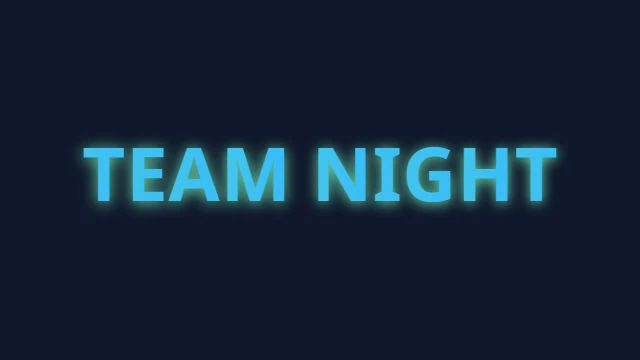
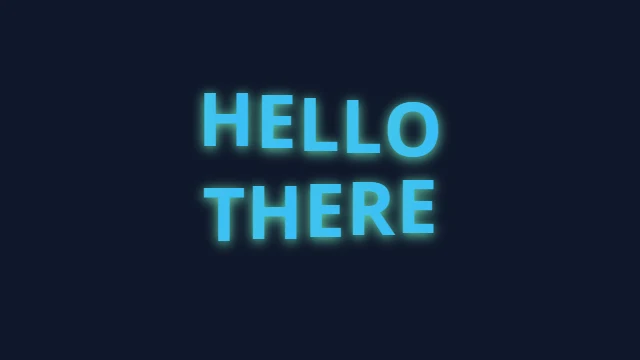
Start with the words you want to show
Enter a name, greeting, stream alert or short announcement. The editor accepts up to 120 characters counted as visible character groups, across four lines. Try TEAM NIGHT or a two-line event title before adding longer wording. Clear removes the source; Reset returns the design settings to their starting values.
Choose a preset for a quick starting point, then search or browse the motion families. A typing reveal, a bouncing headline and a glowing loop should look different with the same words. The free animated text generator uses original treatments rather than borrowed brand logos or a copied catalogue of effects.
Make the motion suit the message
Use a slower reveal for a greeting or a short hold for a title people need time to read. Direction, strength, spacing and timing controls affect the selected effect. The preview position control lets you inspect a moment without running another animation.
Press Play when you want movement. Pause freezes the current view, and Replay starts again. Playback stops when the tool leaves view, the browser tab is hidden or the short preview session ends. Returning to a saved design does not automatically start it moving.
Adjust lettering, layers and backgrounds
Change the font, size, line spacing, alignment and colors. Add an outline or shadow to separate lettering from its background. Gradient, texture, depth, bevel and perspective settings create different appearances; they are not a promise of editable, extruded font geometry in every exported format.
Use up to three visual layers for a compact title composition. Duplicate, hide or remove a layer to compare its contribution. The free animated text generator can use your own background image, texture or short video. A custom motion path moves the title through the positions you choose.
Only upload material you have permission to use. Fonts must be licensed for the way you intend to embed or distribute them. An upload does not grant commercial rights. File and decoded-media limits are checked before the previous valid design is replaced.
Fit the title inside the frame
Choose landscape, square, portrait or a bounded custom size. Fit adjusts the current lettering within its available area, including the chosen margin. Check a long title again after changing the font, outline or depth: those choices can change its visible edges.
Optional margin guides help you avoid putting important words against the frame. They are preview references and do not appear in the downloaded artwork. They are not a verified map of the buttons, captions or safe areas in a particular social app.
Compare a loop and two versions
Open Loop check to compare the first and last sampled frames, then replay the join slowly. A large difference can help explain a visible jump, but matching thumbnails do not certify that every part of a loop will look seamless. The check uses the selected title and settings.
Pin up to two named versions when deciding between treatments. Compare their stills, load one version and play only that version. These comparisons stay in the current session; save a project when you need a reusable file. The free animated text generator does not publish a gallery of your designs.
Choose a file for its destination
GIF is a familiar looping-image choice. APNG and animated WebP offer other image-animation options, while PNG saves a still. SVG and Lottie downloads can contain embedded frame images to preserve the selected effect; those files are not automatically editable vector lettering or resolution-independent artwork.
MP4, WebM and MOV provide video-file choices where the browser can complete the required export. A format name is not a compatibility guarantee for every player or destination. GLB exports a textured title-card model for use in a compatible 3D application, rather than an editable font mesh. A frames ZIP contains individual PNG images.
Transparency depends on the format. GIF has a hard transparent edge and may show fringes around soft glows. MP4 uses a solid background. Inspect the chosen file on its intended background before placing it over another design. An unavailable export gives a specific message instead of a different format with the wrong extension.
Keep downloads manageable
Animated exports are bounded to four seconds, 24 frames and a 720-pixel longest edge; still exports allow a longest edge of 2048 pixels. The available frame rate changes with the duration and frame limit. Shorter titles and simpler compositions are useful starting points on a phone.
Set a byte budget if you need to work toward a file-size limit. This free animated text generator reports the encoded file's actual size and lets you request up to two smaller retries. It does not predict an exact size or guarantee that a website will accept the result. Export progress and Cancel keep the operation clear.
Open the download details to see measured file properties. Size and file type are different from frame count, duration or transparency; any property that has not been established is marked accordingly. Use the downloaded result for the final check, particularly after changing fonts or backgrounds.
Save a project or share portable settings
A project file keeps the supported source, settings and local media needed to reopen the composition. It can contain your words, images, font or video, so treat it as a file containing your own material. Loading validates the version, contents and size before applying the design.
A settings link carries portable text and options in the address fragment. Uploaded media is left out, and the tool tells you what will need selecting again. Anyone receiving the link can read the included words. Local saving happens only when you choose it.
Editing and file preparation run in your browser without sending your design to a conversion service. The surrounding site can still load its usual advertising and analytics. For reusable website snippets, try the CSS Animated Text Generator; for specialized looks, compare Animated Glitch Text Generator or LED Scrolling Text Generator.