Fonts · lettering · local exports
Graffiti Font Generator
Create graffiti text from your name, initials, or words.Read more
This graffiti font generator lets you compare 26 fonts, try bubble and handstyle lettering, and adjust colors and outlines. Choose a look, watch the preview, and download your design.
Formats & file size
Layout & letters
Layers & effects
Background
Graphics & overlays
Animation & export
Name ideas
Compare A / B
Small-size & background audition
Practice sheets & mockups
Font library & import
Save, load & share recipe
Made with the editor
Handstyle and bubble lettering
How to Use the Graffiti Text Generator
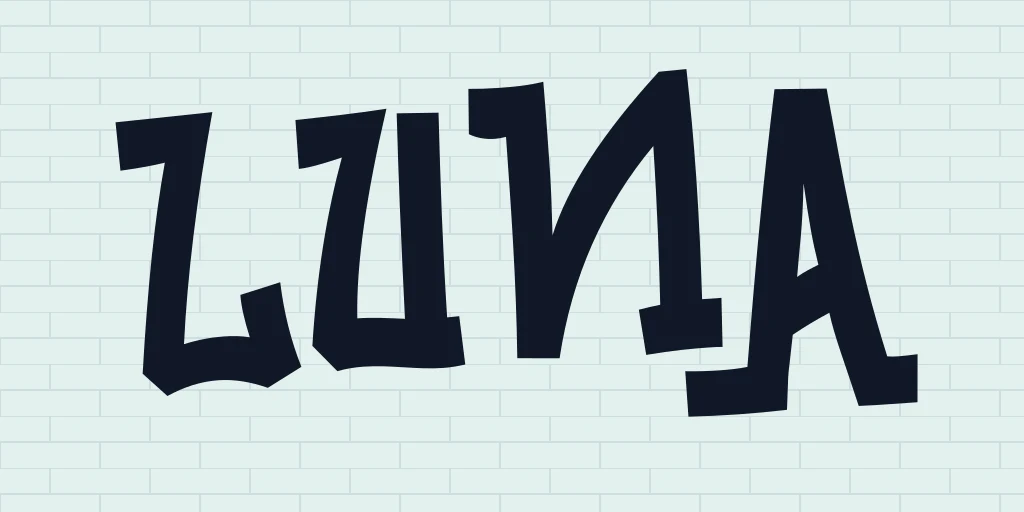
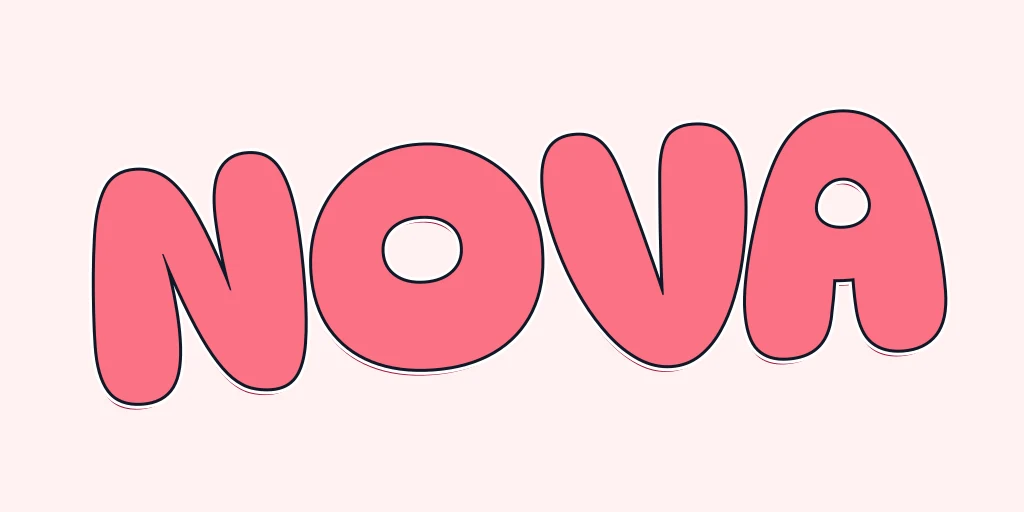
Enter a word or short phrase in the text box. This text to graffiti converter works best with short words when you want large strokes and clear gaps. Longer phrases may need another line or narrower lettering. Try LUNA or NOVA to compare a familiar example before entering your own text.
Choose a style, adjust the lettering, and select an output format. Press Prepare, inspect the file details, then download it. The graffiti font generator shows the prepared file's dimensions and size; Try smaller makes a smaller version when you need one.
Graffiti Font Maker: Compare Fonts and Looks
Compare the shapes before adding effects. The library includes 26 fonts, with a Recommended group and an All option for the full collection. Browse fonts shows your current word on each card, alongside search, font groups, favorites, and recent choices.
Font changes the lettering while keeping your current effects. Look applies the font with its suggested colors and effects. Use the graffiti font generator to compare the same word across typefaces, then decide whether the shape needs an outline, a different fill, or more space.
You can import a compatible TTF, OTF, WOFF, or WOFF2 file up to 3MB. Check its license first. Coverage varies, including punctuation and accented letters, so inspect the actual preview rather than assuming every character is available.
Choose Your Graffiti Lettering Style
These looks share one editor. Choose a preset or font, then adjust it for your word. The graffiti font generator also offers small-size previews on light, dark, and checkerboard backgrounds, useful for checking whether fine details survive at the size you need.
Bubble Graffiti Font Generator
Start with Bubble and compare the rounded fonts. A light fill and dark outline can separate the letters from the background. Add depth if you want a raised effect, but watch the small spaces inside letters: thick outlines can close them. Short names usually leave more room for wide, rounded strokes.
Spray Paint Font Generator
Choose Rubik Spray Paint in the font library for spray-textured letter shapes. Test it over your intended background before adding more texture. Fine marks that show on a pale wall may disappear over a busy photograph; a simpler background or stronger fill can make the same word easier to read.
Dripping Graffiti Font Generator
Drip uses Nosifer's dripping letter shapes. Keep enough space below the word for the drops to remain visible, especially near an image edge or another line of text. Try the font with a plain fill first, then add an outline if the lettering needs more separation from the background.
Handstyle and Block Letters
Start with Tag or Marker in this graffiti handstyle generator, then compare how the strokes and gaps work with your name before adding layers. They use existing letterforms rather than drawing a new handwritten signature for each word.
Choose the Block preset in this graffiti block letters generator and compare its heavier silhouette with the handwritten looks. Increase the outline gradually so enclosed spaces remain open. A short word may suit a bold treatment that would feel cramped across a longer phrase.
Graffiti Letters Generator: Adjust Your Lettering
Change the fill, add a gradient, or adjust the two outline layers. Depth, highlights, shadows, and patterns have separate settings. Turn a layer off to see its contribution, and use undo if an experiment makes the word harder to read.
This graffiti letters maker includes individual-letter controls for crowded pairs: move, scale, or rotate a letter without rebuilding the whole word. Pin two complete designs as A and B, then restore either version to compare. Save a project file if you want to keep a version after leaving the page.
Use a plain or transparent background, a wall preset, or an image from your device. Graphics, emoji, and local image overlays can help you plan the composition. The preview stays visible at the top while you scroll through settings on a phone or computer.
Download Your Graffiti Text as PNG or SVG
PNG is a straightforward output from this graffiti text maker when you need a finished image. Choose transparent PNG to place the lettering over another design. JPG uses a solid background. SVG and PDF are available too, though uploaded images and raster deformation can remain raster components inside those files.
For animated lettering, choose an animation and press Play preview. Nothing moves until you start it. GIF, APNG, WebM, and PNG-frame ZIP exports have different browser requirements and size limits. Prepared animated files show frame and duration details where available.
For curved lettering, try the Curve Text Generator. For a title arranged with other visual elements, open the Fancy Thumbnail Text Generator.
Name Ideas, Practice Sheets and Saved Projects
Open Name ideas in this graffiti name art creator when you need a starting point. Choose a theme, initial, and length, then compare four suggestions in your current style. Shortlist favorites and apply one to the design. Suggestions may already be used by other writers; check before adopting a name.
An A4 practice sheet provides a full reference, faint tracing rows, and blank guides. A coloring sheet lets you try fills on paper. These are visual references rather than stroke-order lessons. Hoodie and phone-case mockups offer another view of the composition, with no guarantee about physical printing colors or materials.
Save a TextKits project to reopen its settings. A shared recipe link carries supported text and settings, but not locally uploaded fonts or images. The graffiti font generator renders lettering and selected uploads in your browser; sharing a recipe is a separate action that makes its included text readable to anyone with the link.
Graffiti font generator FAQ
Answers about fonts, lettering, downloads, licenses, and local projects.