TextKits

Cross Out Text Online

Strike Through Text Generator

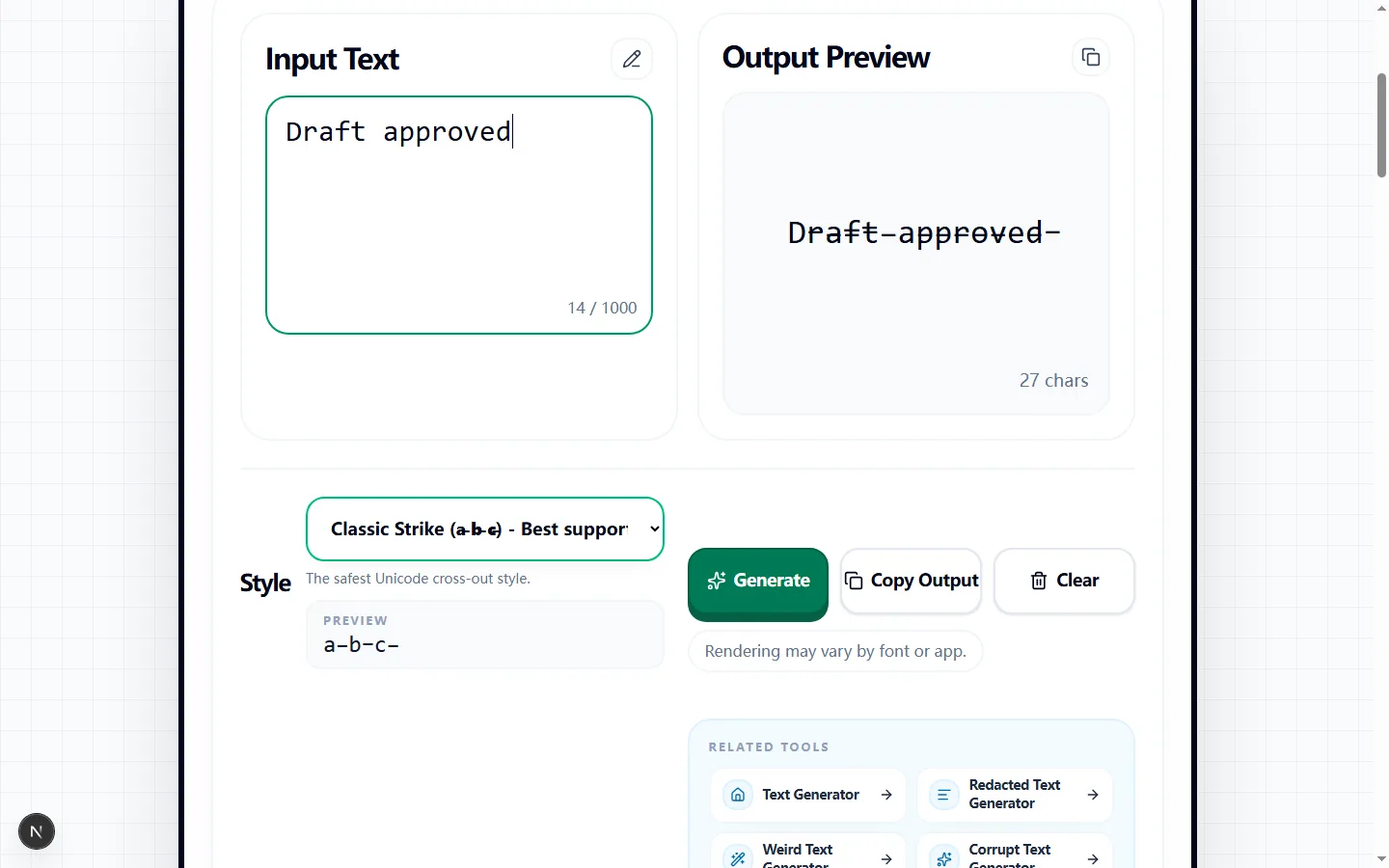
Input Text

19 / 1000

Preview

s̶t̶r̶i̶k̶e̶ t̶h̶r̶o̶u̶g̶h̶ t̶e̶x̶t̶
36 chars

Style

Preview

a̶ b̶ c̶

How does the Unicode cross-out magic work?

Curious how this tool actually places lines over your words? It uses something called Unicode combining marks. This means the lines attach directly to your text characters, making it super easy to copy and paste anywhere—Chats, bios, or social posts—without turning your words into an image.

Since every app has its own way of rendering fonts, sticking to the classic style in our strike through text generator is generally your safest bet. It plays nicely with almost all platforms compared to some of the crazy decorative line variants.

Unicode vs. Markdown: What's the difference?

Here's the deal: this tool adds actual layering marks over each letter you type. Markdown, on the other hand, wraps your words in symbols (like double tildes), hoping that the app you paste into knows how to format it.

This matters because markdown won’t cross out your words everywhere. While we include markdown options for your convenience, our strike through text generator really shines by giving you true Unicode lines that travel directly with your text.

When should you use crossed-out text?

People love crossing things out to show price drops, mark tasks as done, add a sarcastic comment, or show a funny before-and-after edit. It adds an immediate visual tone to whatever you're sharing.

Just a quick tip: keep it brief! This effect is amazing on short sentences or titles, but if you cross out a giant paragraph, it can become really tough for your friends to read.

What this strike through text generator helps with

Use this strike through text generator when you need to turn regular writing into copy-ready crossed-out Unicode text without opening a heavy editor or learning a special format first. It is made for people who want crossed-out text they can paste into chats, bios, notes, or posts, so the page keeps the input, preview, and output close together instead of hiding the useful controls behind a setup flow.

That makes the strike through text generator best for quick text jobs like price edits, completed tasks, joke corrections, before-and-after notes, comments, and profile lines. In those moments, you usually already know the words you want to use. The value is seeing a clean result, adjusting it fast, and moving it into the app, post, sign, server, or document where it belongs.

How the strike through text generator workflow works

The strike through text generator workflow is built around one loop: write the source text, change the style, check the preview, then copy or export the result. The controls cover classic strike, slash, overline, underline, dotted styles, markdown mode, preview, and copy buttons, which gives you enough range without making the page feel like a full design program.

The live preview matters because small formatting choices can change the result quickly. If the text looks too crowded, too quiet, too strange, or too hard to read, you can fix it before copying. A useful strike through text generator should make those problems visible early, while the text is still easy to change.

Best uses for the strike through text generator

The strongest results usually start with short, clear text. A strike through text generator can change the presentation, but it cannot rescue a message that is too long or confusing before the styling begins. Keep the source sentence simple, then use the tool to shape the final look.

This is especially important when the output is going into a public place such as a profile, chat, caption, booth, board, or server announcement. The strike through text generator should add the effect you want while keeping the message easy to understand at the speed people will actually read it.

Tips for cleaner strike through text generator results

The fastest way to improve a result is to test a plain version first. Type the message, make one basic output, and ask whether it already solves the job. After that, add more style only where it helps. This keeps the strike through text generator useful for real copy-paste work instead of turning every result into a noisy experiment.

For most users, the practical rule is: start with the classic style when compatibility matters, then try heavier styles if the app renders them well. That habit makes the strike through text generator more reliable, especially when another person needs to read the result quickly. The tool can generate options, but the final choice should still feel intentional.

What to check before using the output

Before you leave the strike through text generator, look at the preview and ask one plain question: would someone understand this immediately? If the answer is no, shorten the source text, lower the intensity, or choose a simpler setting. The best output usually feels obvious, not overworked.

There is also one practical warning: some platforms render decorative line marks differently, so a lighter style is usually safer. That does not make the strike through text generator less useful. It just means the safest workflow is to copy or export the result, test it once in the target app, and make one final adjustment if the platform displays it differently.

Why the strike through text generator stays practical

A practical strike through text generator should save time at the handoff point. You should be able to try a few versions, keep the one that works, and avoid rebuilding the same phrase by hand. That matters most for small text tasks where the goal is not a perfect design file, but a result you can use right away.

It also helps when you are comparing ideas. Keep one source line, change the settings, and let the strike through text generator show the differences. Small shifts in size, style, color, intensity, or formatting can change the tone of short public text, and comparing those versions in one place makes the final choice easier.

Common strike through text generator mistakes to avoid

The biggest mistake is treating the effect as the whole message. If every setting is pushed to the maximum, the output may look busy but stop communicating. Use the strike through text generator to support the words, not bury them.

Another mistake is assuming every destination will display the result exactly like the preview. Keep a plain backup of the original text, paste the output into the target app once, and adjust if needed. That small check makes the strike through text generator more dependable for real use and keeps the workflow focused on the actual next step.

Strike through text generator FAQ

Wondering how well this will work on your favorite app? Here are some quick answers to the most common questions we get!

Will the crossed-out text show up correctly on Instagram, TikTok, or Discord?+
Most of the time, yes! However, it really depends on the app. If you use the classic option in our strike through text generator, it’s heavily supported everywhere. Some of the fancier lines might get a bit messy, so keep that in mind.
Why not just use regular markdown formatting?+
Markdown is great if the platform natively supports it. But our tool produces Unicode text, which means the line is fused to the letters themselves—no special app support required to show the strike.
Why are some styles looking a little different from others?+
Every style uses a unique overlay mark. Some draw slashes, some draw clean lines, and others get super decorative. This variety gives you options, but they all render slightly differently depending on the device you're using.